
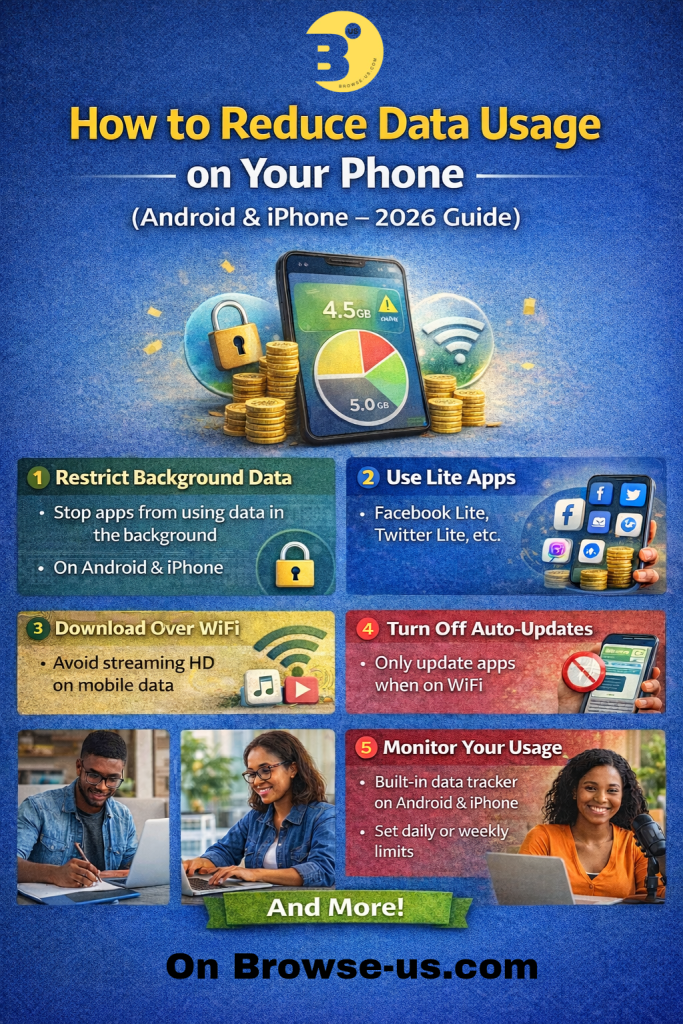
Mobile data is one of the most important things for smartphone users today. From browsing social media to streaming videos, almost everything we do online consumes data. Unfortunately, data can finish quickly if your phone settings are not optimized.
Many people don’t realize that their phones consume data even when they are not actively using the internet. Apps running in the background, automatic updates, and high-quality streaming can drain your data plan very fast.
In this guide, we will show you simple and effective ways to reduce data usage on both Android and iPhone devices in 2026.
- TURN ON DATA SAVER MODE
One of the easiest ways to reduce data usage is by enabling Data Saver mode on your phone.
On Android
Open Settings
Tap Network & Internet
Select Data Saver
Turn Data Saver ON
When this feature is active, apps will use less data in the background, helping your data last longer.
On iPhone
Open Settings
Tap Cellular
Select Cellular Data Options
Turn on Low Data Mode
Low Data Mode reduces background activity like automatic updates and syncing. - RESTRICT BACKGROUND DATA FOR APPS
Many apps continue using data even when you’re not using them. Social media apps, email apps, and cloud services are the biggest culprits.
On Android
Go to Settings
Tap Apps
Select the app you want
Tap Mobile Data & Wi-Fi
Turn off Background Data
On iPhone
Open Settings
Tap General
Select Background App Refresh
Turn it off or limit it to Wi-Fi only
This step alone can save a significant amount of data every month. - REDUCE VIDEO STREAMING QUALITY
Video streaming apps consume the highest amount of data. Watching videos in high definition can drain your data very quickly.
Examples:
480p video uses about 300MB per hour
720p video uses about 1GB per hour
1080p video can use 3GB per hour or more
To reduce usage:
Set video quality to Auto or Low
Download videos using Wi-Fi
Avoid unnecessary autoplay videos
Most streaming apps allow you to change video quality inside their settings. - TURN OFF AUTOMATIC APP UPDATES
App updates can be very large, and if they happen using mobile data, they can quickly consume your data plan.
On Android
Open Google Play Store
Tap your Profile icon
Select Settings
Tap Network Preferences
Choose Update apps over Wi-Fi only
On iPhone
Open Settings
Tap App Store
Turn off Automatic Downloads using Mobile Data
This ensures updates only happen when you’re connected to Wi-Fi. - USE LITE VERSIONS OF APPS
Many popular apps have lite versions designed to consume less data and storage.
EXAMPLES INCLUDE : - Facebook Lite
- Messenger Lite
- TikTok Lite
- YouTube Lite (or use browser)
These apps are optimized for low data usage and slower internet connections, making them perfect for saving data. - MONITOR YOUR DATA USAGE
Tracking your data helps you understand which apps consume the most.
On Android
Open Settings
Tap Network & Internet
Select Data Usage
On iPhone
Open Settings
Tap Cellular
Scroll down to see data usage by apps
Once you identify heavy data users, you can restrict them or reduce how often you use them. - DOWNLOAD CONTENT WHEN USING WI-FI
Whenever you have access to Wi-Fi, take advantage of it by downloading content ahead of time.
You can download: - Music playlists
- Movies
- Podcasts
- Offline maps
- YouTube videos
This allows you to enjoy the content later without using mobile data. - TURN OFF AUTO-PLAY ON SOCIAL MEDIA
Social media apps automatically play videos as you scroll, which quietly consumes your data.
You can disable autoplay in the settings of most apps.
FOR EXAMPLE :
Set videos to play only on Wi-Fi
Disable auto video playback
This small adjustment can save hundreds of megabytes of data every week.
FINAL THOUGHTS
Reducing data usage doesn’t mean you have to stop enjoying your favorite apps or browsing the internet. With a few simple adjustments, you can stretch your data plan and avoid running out too quickly.
By enabling data saver mode, limiting background activity, and managing streaming quality, you can significantly reduce how much data your phone consumes.
As smartphones continue to evolve, being smart about how you manage your mobile data will help you save money and stay connected longer.
Share this content:
